Guide for health workers and students
Screen people in your community and get them to a doctor or nurse
For CHEWs, CHOs, volunteers and medical, nursing and other health students. You screen people at markets, churches, workplaces and home visits. EmergencyEcho's doctors and nurses see them by video on your phone, and you follow each person until their care is confirmed.
- The people you screen need only a phone number, no app or email
- Earn 15% of every paid Echo you book, plus ₦100 per confirmed care
- Students sign up here, not as Doctor or Nurse
Have these ready
- A phone with internet and a working camera, for the video calls
- Your phone number, and an email if you have one
- Your CHPRBN or licence number, if you have one (students can leave it blank)
- A blood pressure machine or glucometer, if you use one (optional)
No email? You can still sign up, but to reset a forgotten password you will need to email support@emergencyecho.org.
Step 1: Open the website and tap Get started
Go to www.emergencyecho.org in your phone's browser and tap the red Get started button.
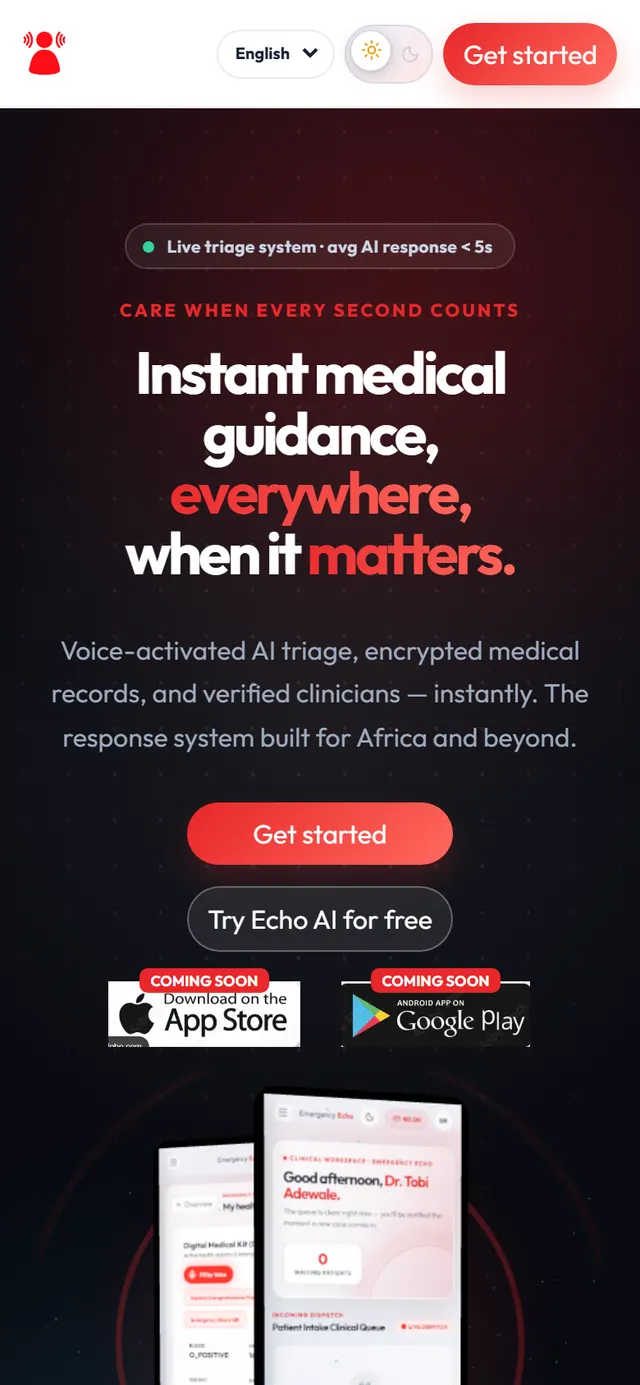
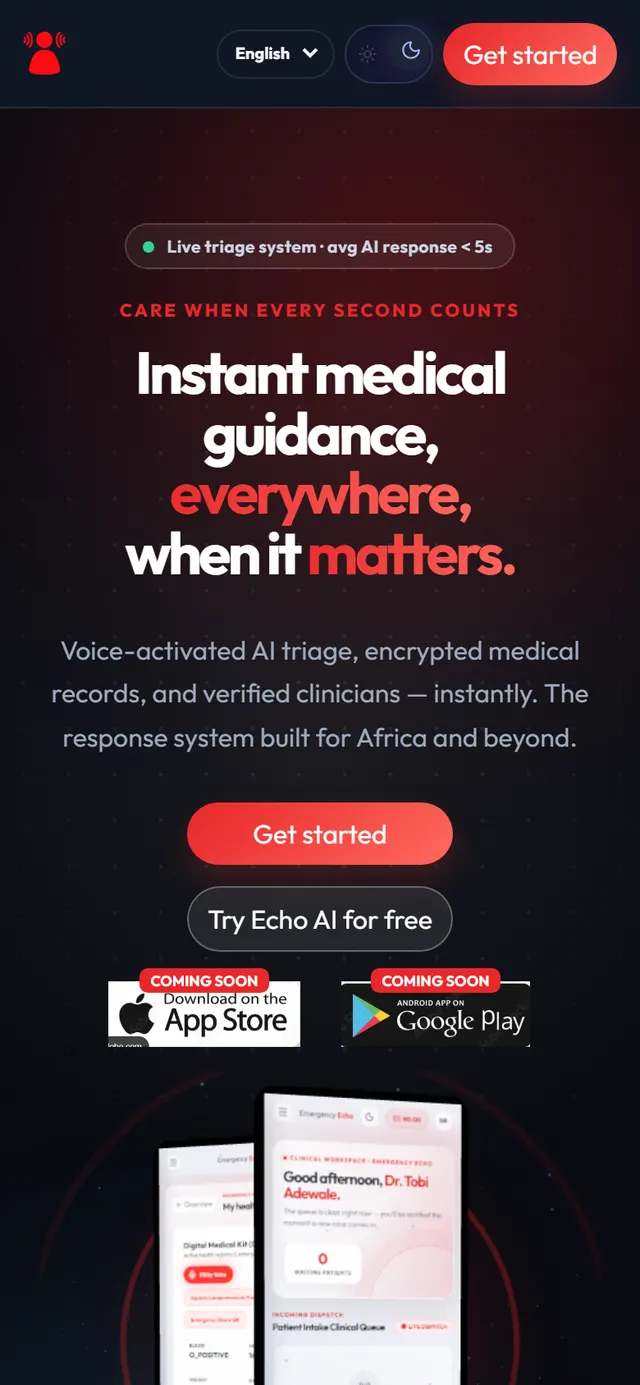
The EmergencyEcho home page Step 2: Choose Health worker and your role
Fill in your name, username, phone number, email (optional) and a password with at least 10 characters, including a capital letter, a small letter, a number and a symbol such as # or !.
Under Select Portal Role, tap Health worker. Then, under Your role, pick the one that fits you:
- CHEW, JCHEW, CHO or Auxiliary nurse or midwife
- Medical student, Nursing or midwifery student or Other health student
- Trained volunteer
Have a programme code from an NGO, church, employer or health board? Enter it, and they will pay for the people you screen. No code? Leave it blank. Tick the agreement box and tap Create Account.
Studying medicine or nursing? Choose Health worker, not Doctor or Nurse. Those roles need a full MDCN or NMCN licence.
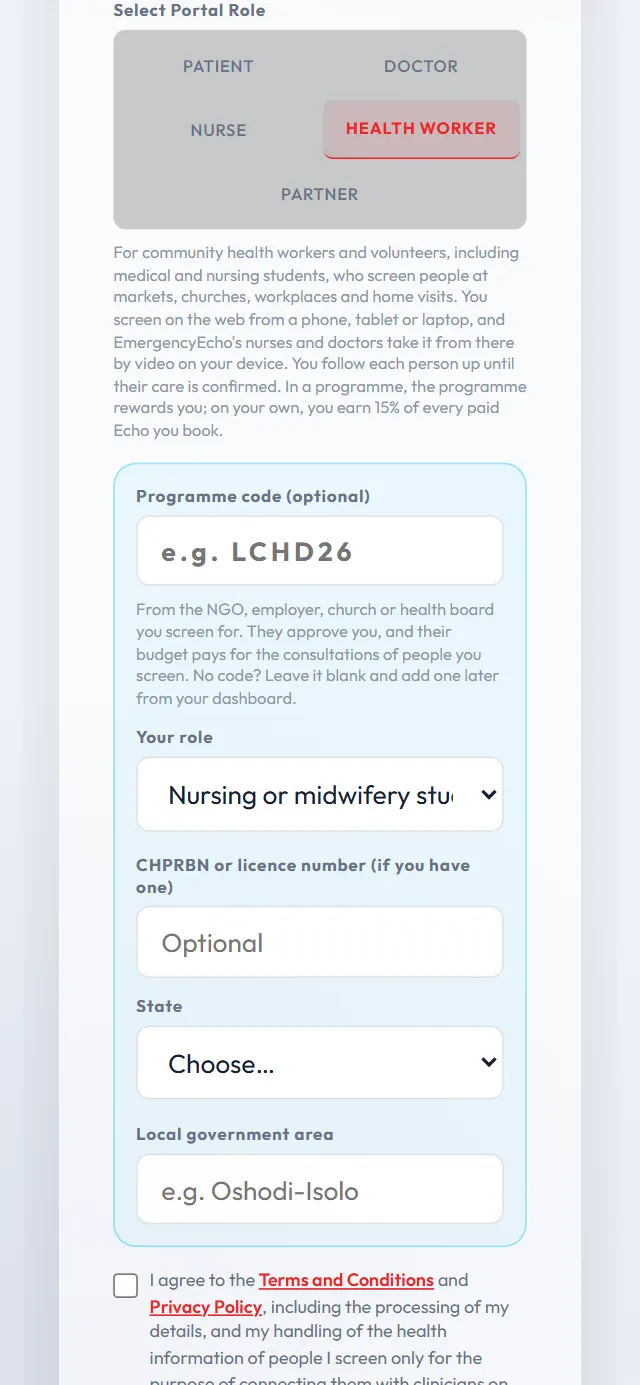
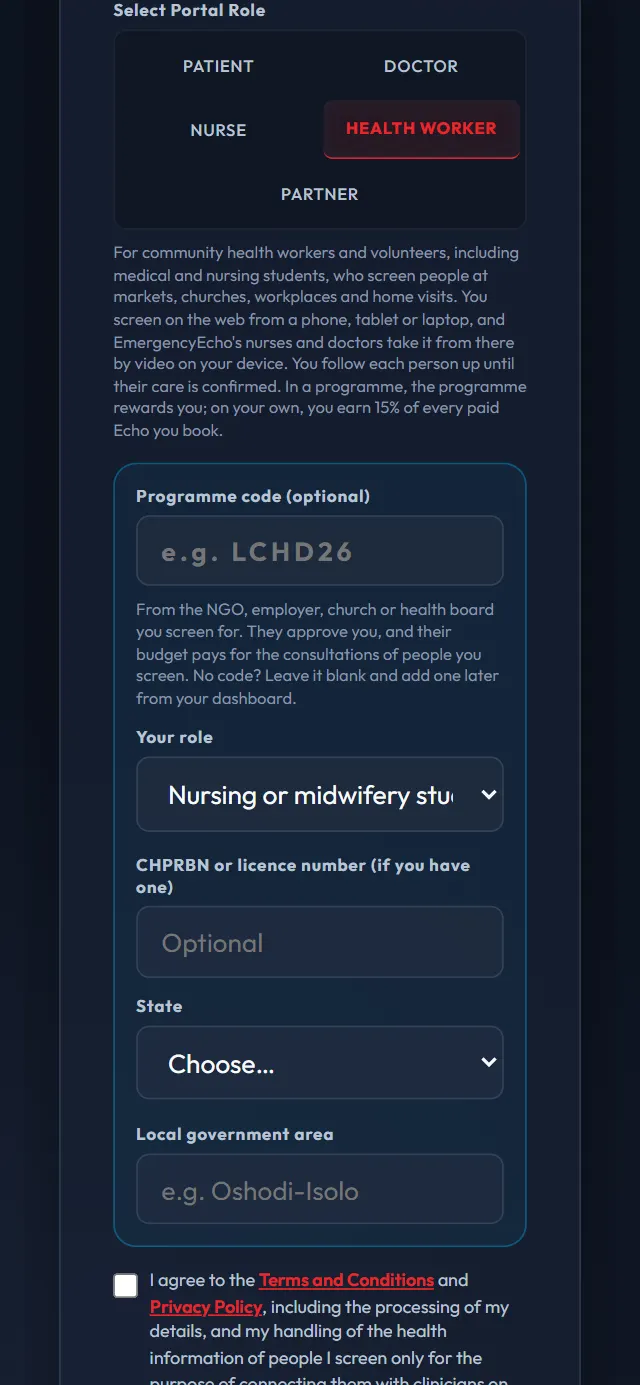
Health worker, with a student role chosen Step 3: Confirm your email and sign in
If you gave an email, enter the 6-digit code we send you. Then sign in at www.emergencyecho.org/login with your username or email and your password.
Check Spam or Promotions. Then, on the Email Verification page, confirm your email address and tap Resend Code.
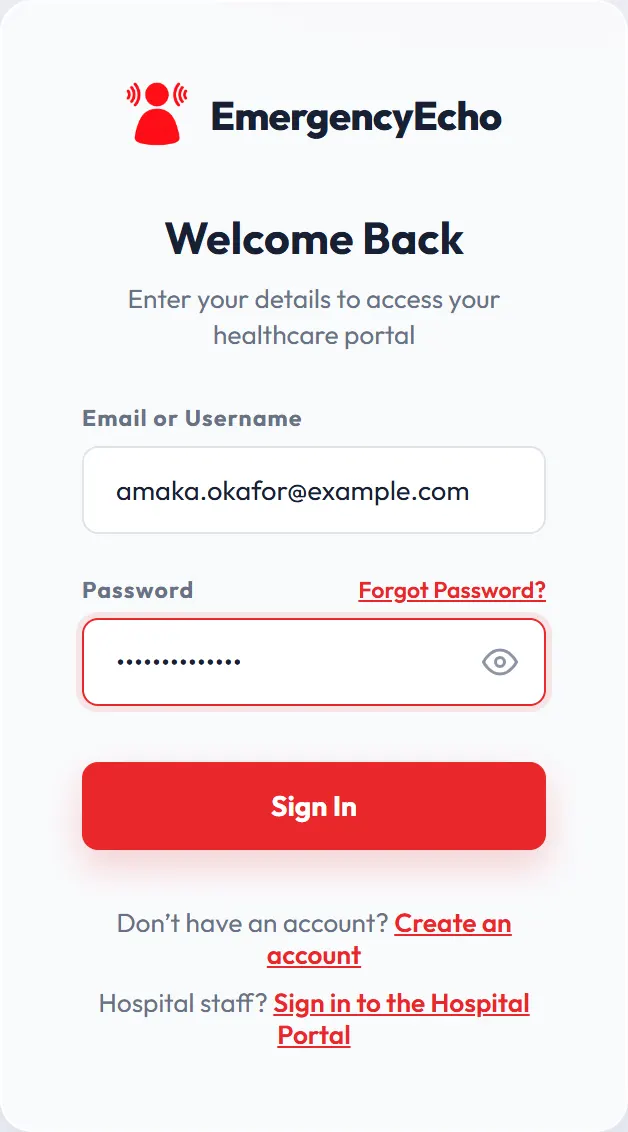
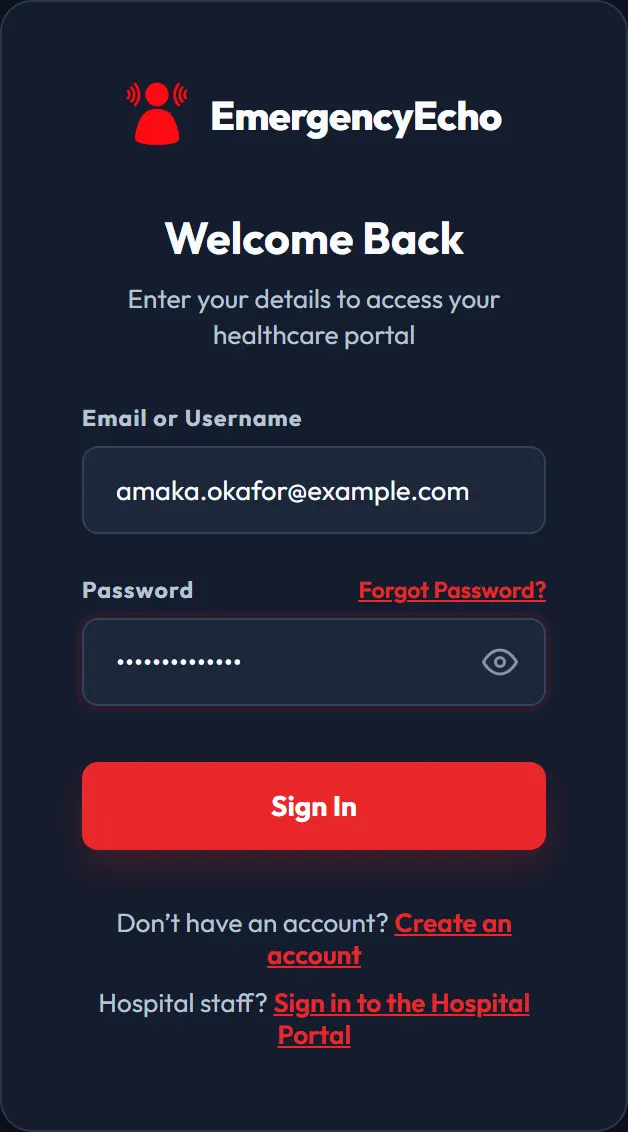
The sign-in page - Waiting for approval
Step 4: Wait for approval
With a programme code, that programme approves you. Without one, EmergencyEcho's team checks your details, usually within a day.
While you wait, you can enter a programme code or apply to a funded campaign on this screen. You get a notification once you're approved.
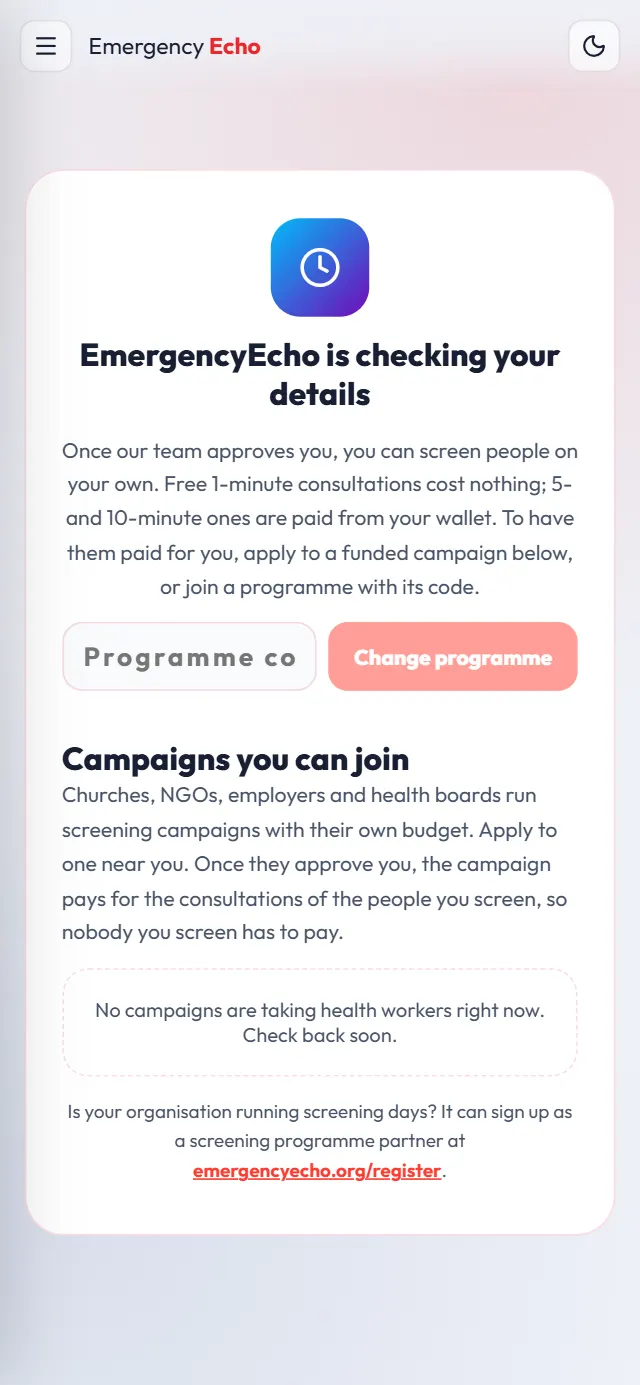
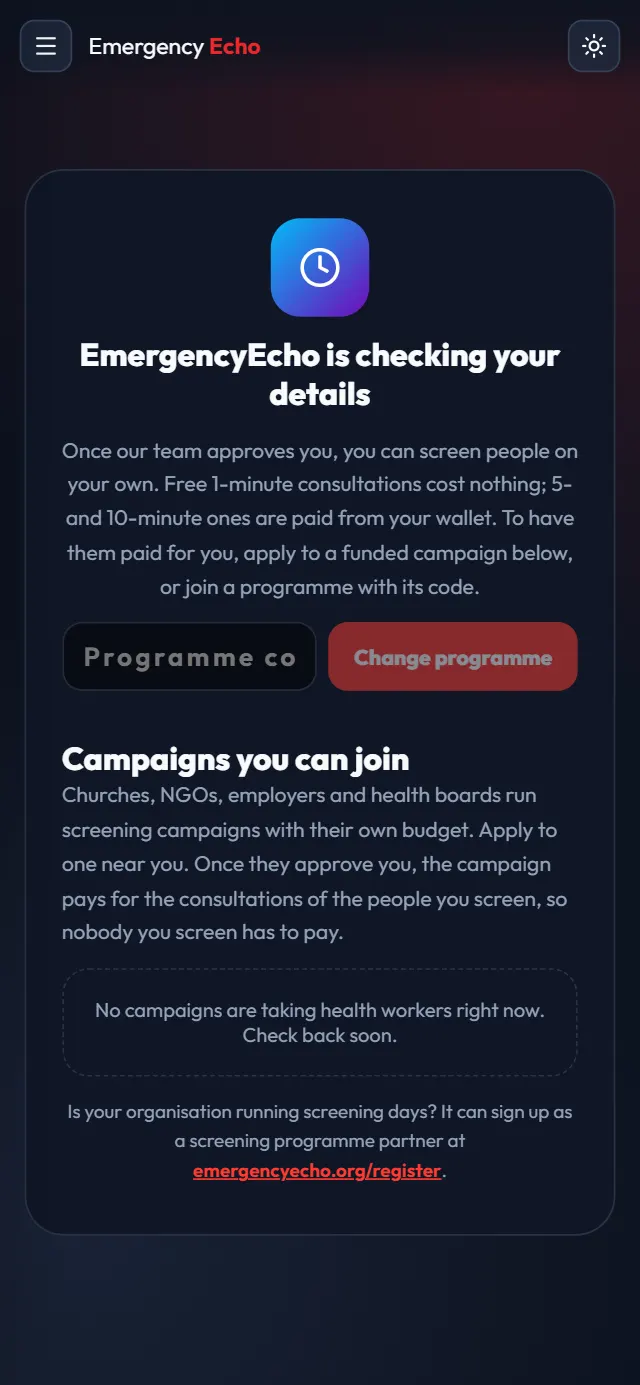
What you see while you wait - Approved
Step 5: Start your day on Today
Type where you are screening, such as Oja Oba market, Ibadan, and tap Screen a person.
The box above it says who pays for paid Echoes: your programme or campaign, or your own wallet if you screen on your own.
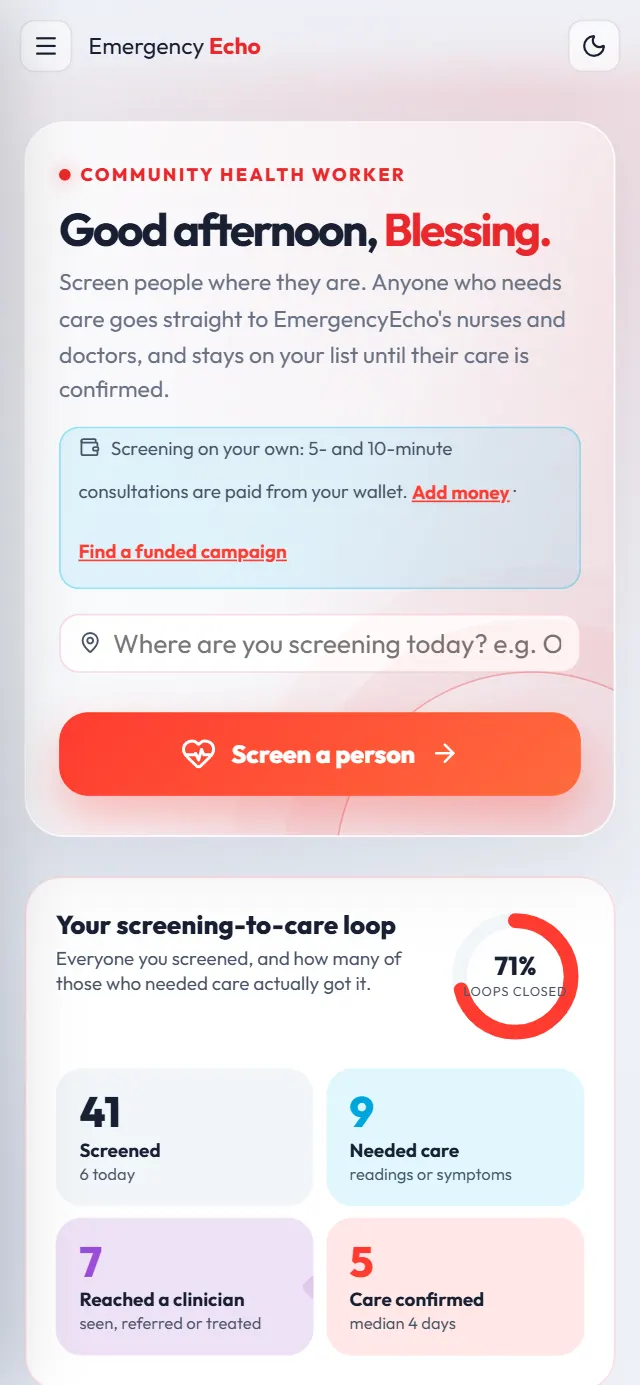
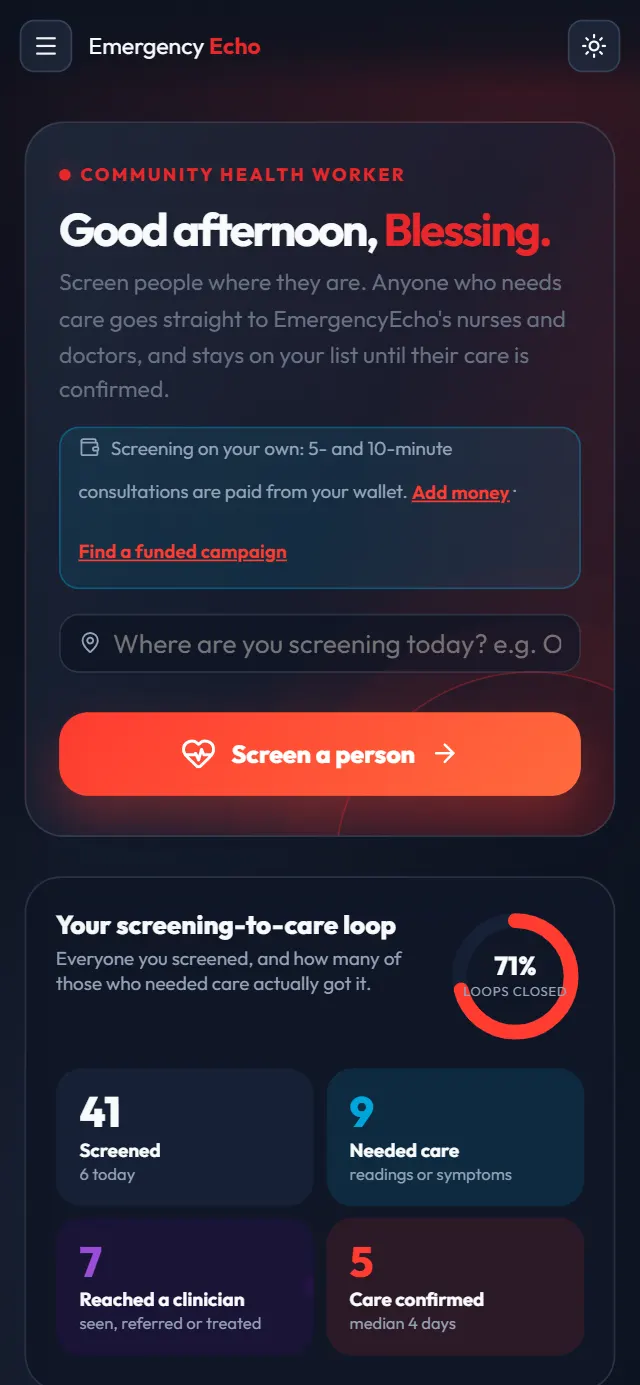
Your Today screen Step 6: Enter the person and read them the consent
Enter their phone number, full name and age, and their sex and language if you know them. They don't need the app or an account: their phone number is how EmergencyEcho reaches them.
Read the words in Read this to them out loud. Tick They agreed only if they say yes, then tap Next: readings.
Screening is for adults 18 and over. Refer children to the nearest health centre.
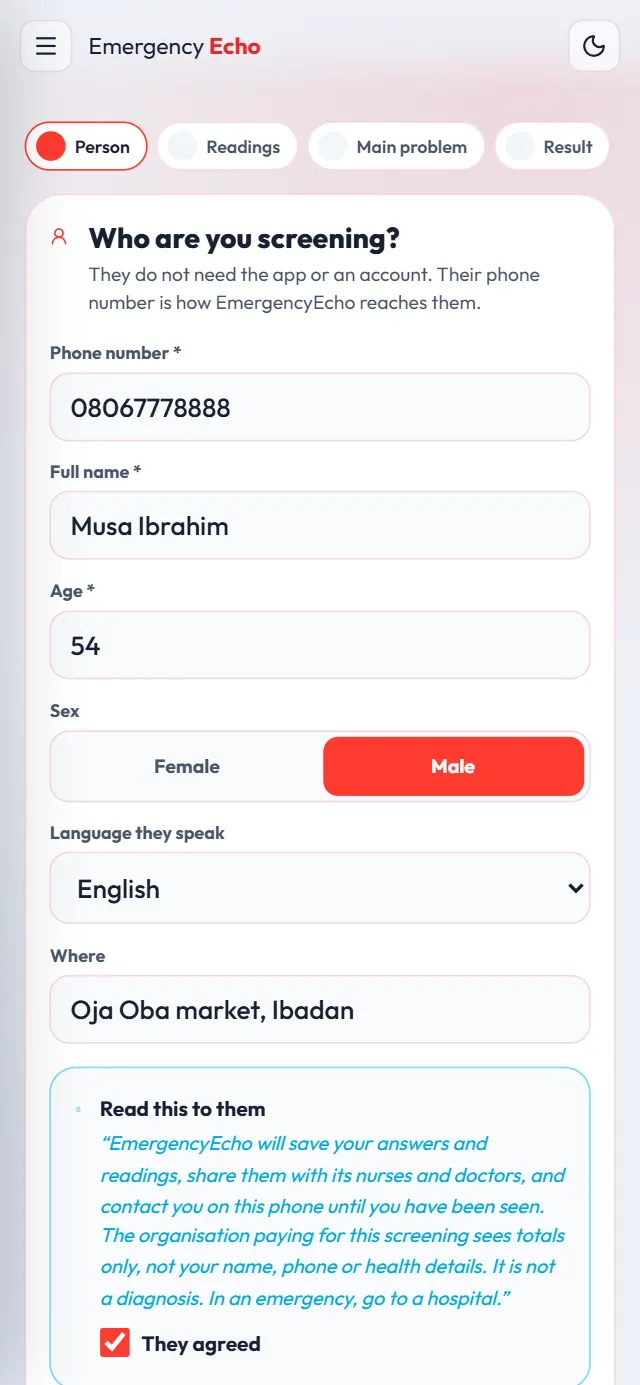
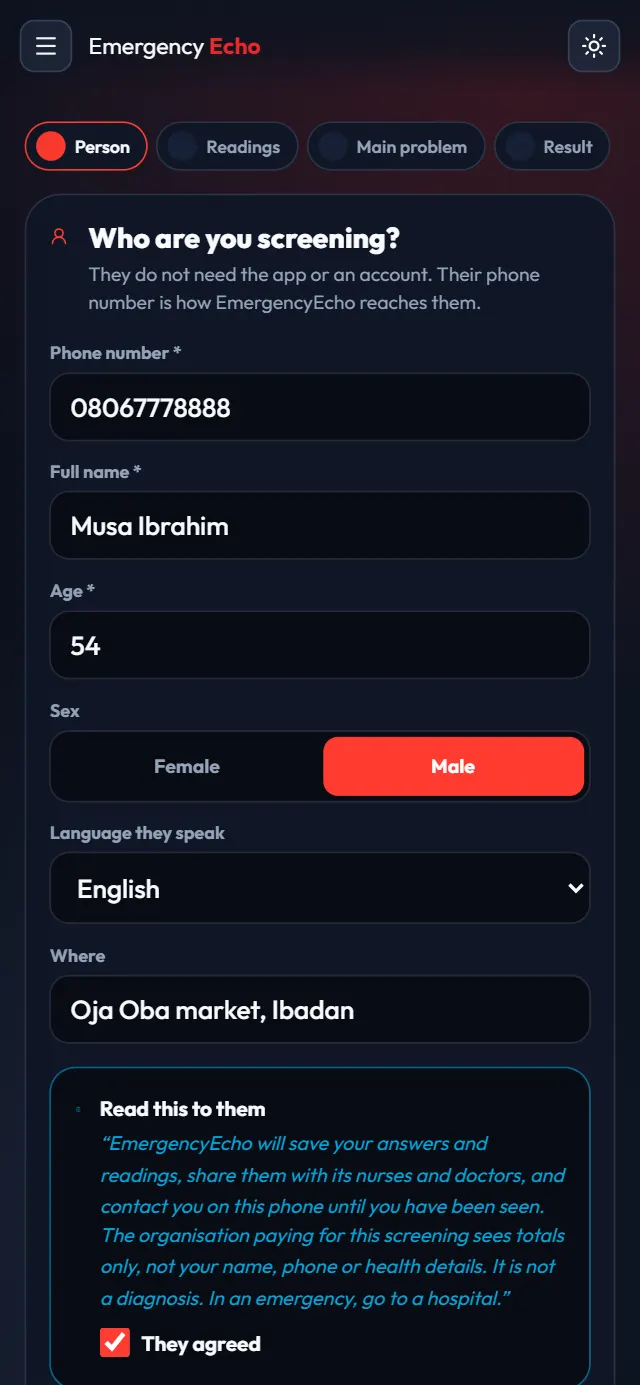
The person, and their agreement Step 7: Add any readings you took
Type what your device shows: blood pressure, blood sugar, temperature or pulse. Leave blank anything you didn't measure. Each reading shows at once whether it is normal or high.
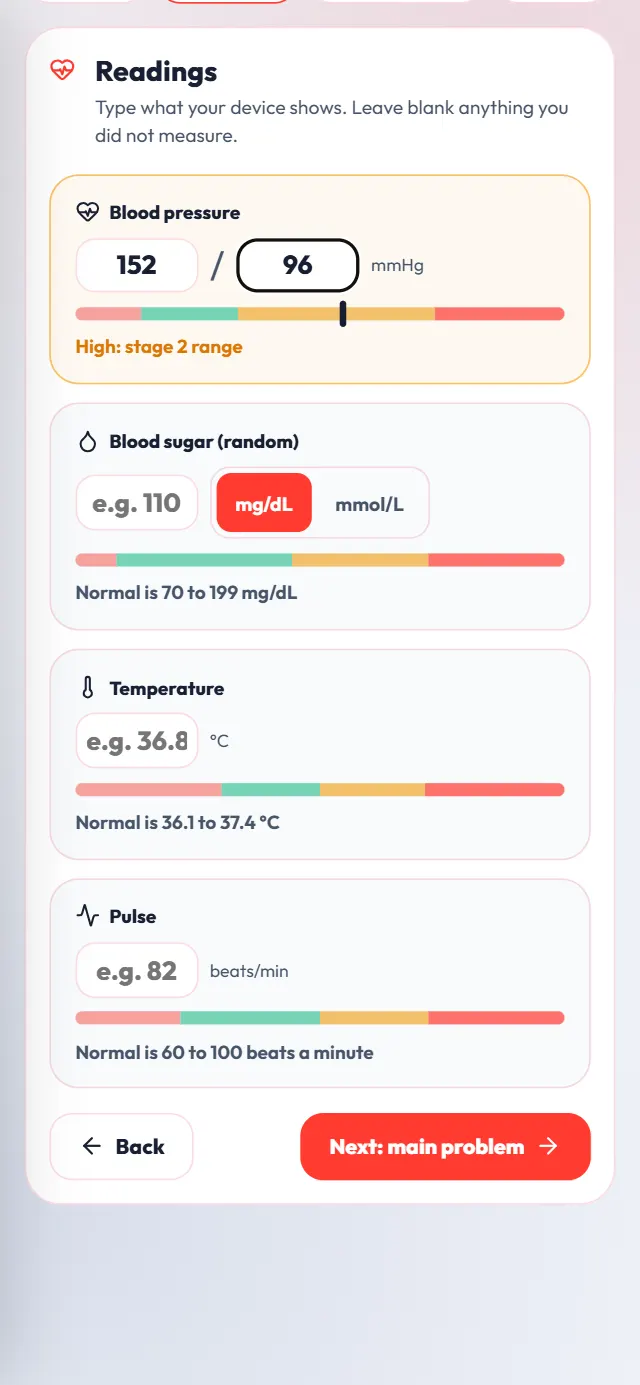
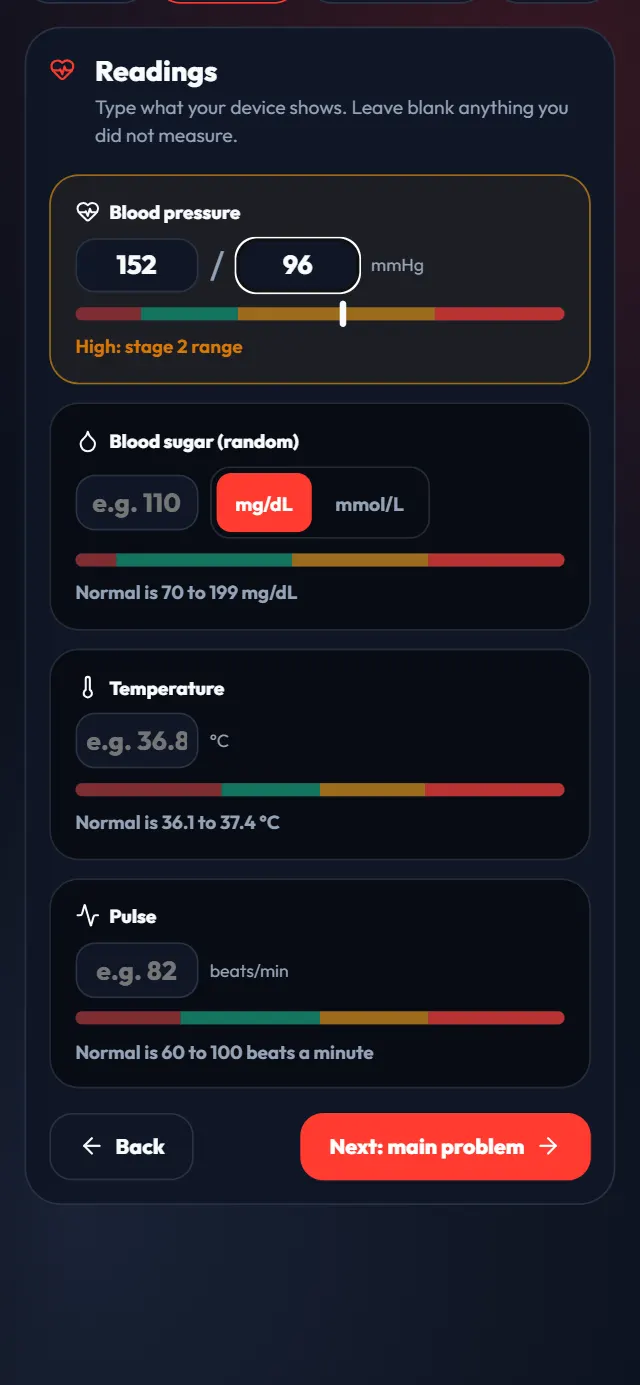
A high blood pressure reading Step 8: Pick the main problem and check for danger signs
Tap their main complaint, such as Headache, or No complaint if they only came for readings.
Then ask about each danger sign and tick every one they have. If none apply, tap None of these and answer the short questions that follow.
Any danger sign sends them straight to a doctor as an emergency. If their life is in danger, also call 112 or take them to the nearest hospital.
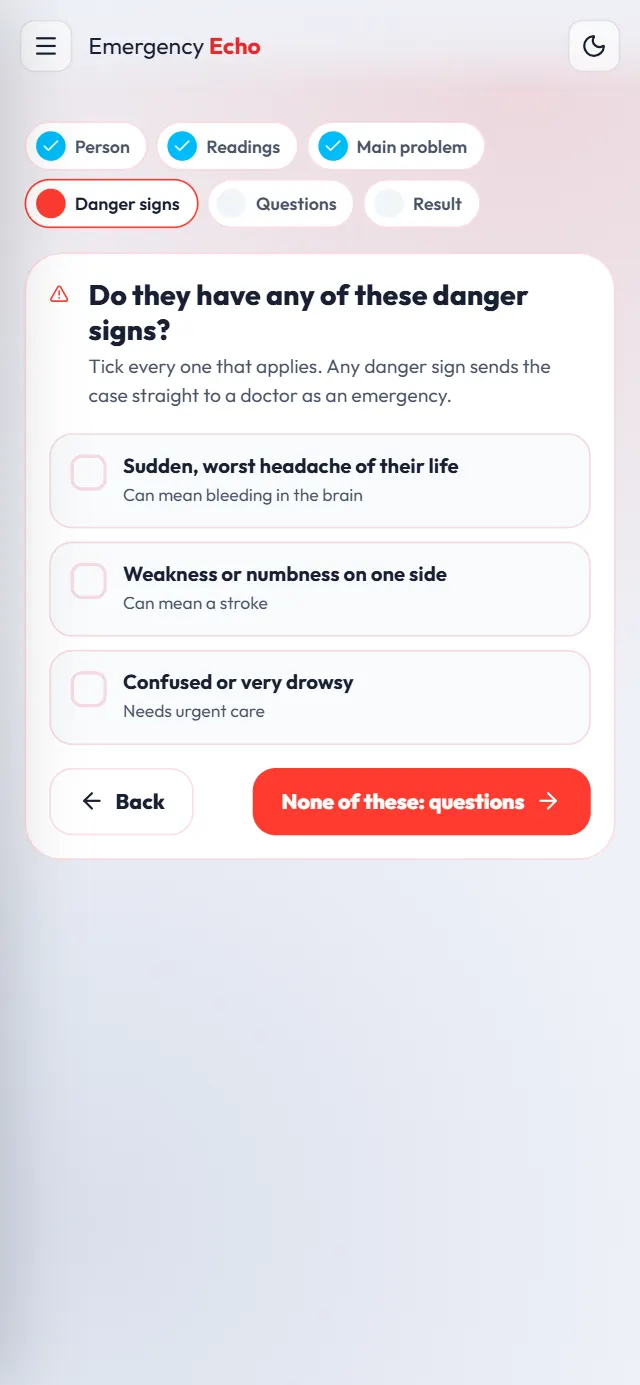
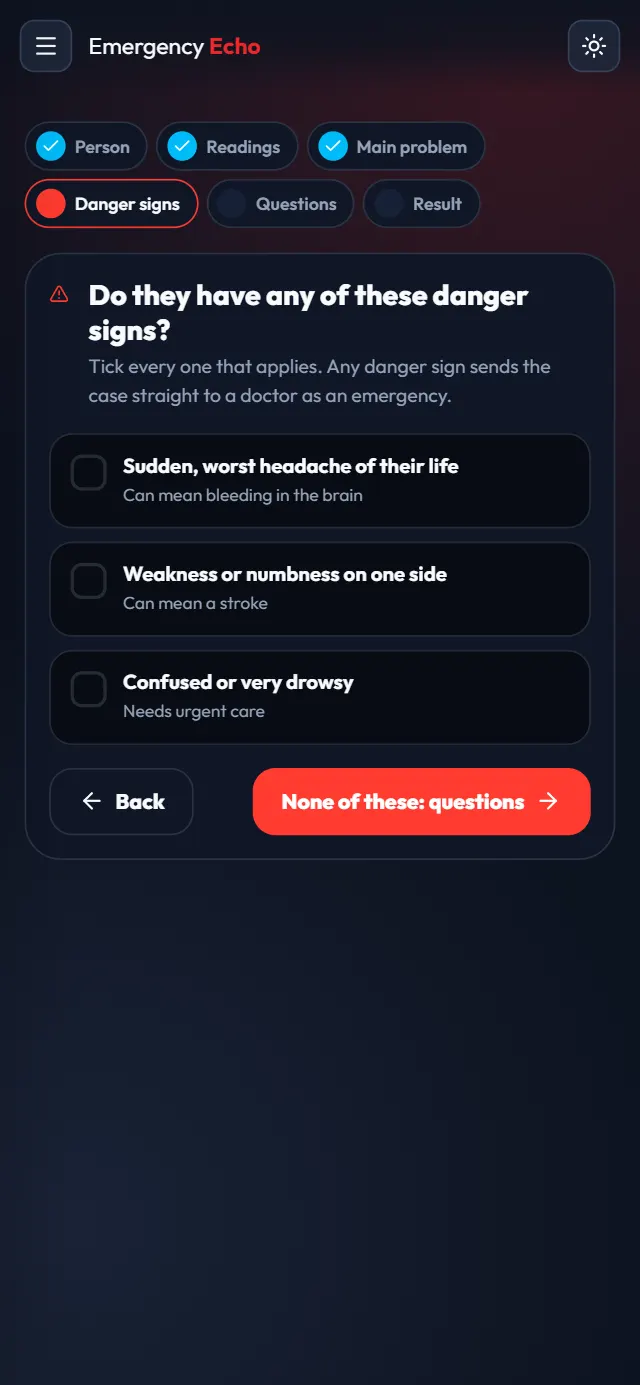
Tick every danger sign they have Step 9: See the result and book a video consultation
The result says how soon they need a clinician. To get them seen, tap 1 minute (free), 5 minutes or 10 minutes.
When a doctor or nurse is ready, a Join now banner appears. Join with the person beside you: the call happens on your phone.
When no programme or campaign pays, a paid Echo comes from your wallet. Add money under Earnings first, and agree with the person how they will pay you back.
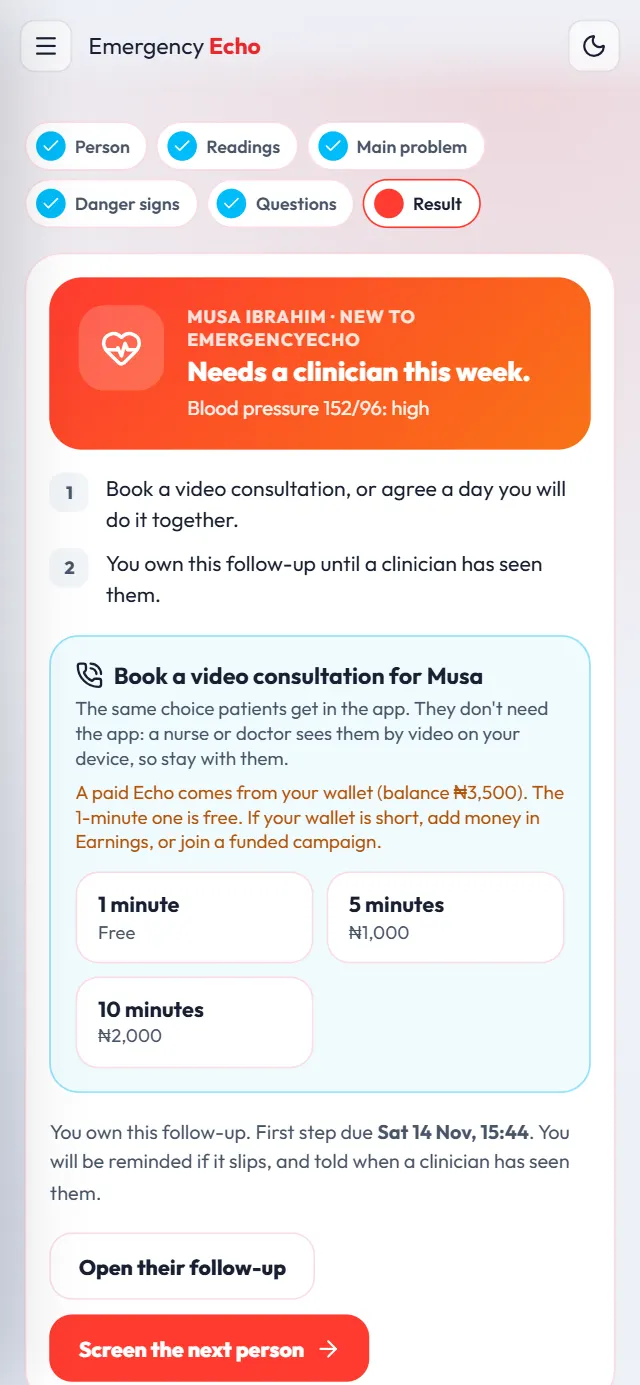
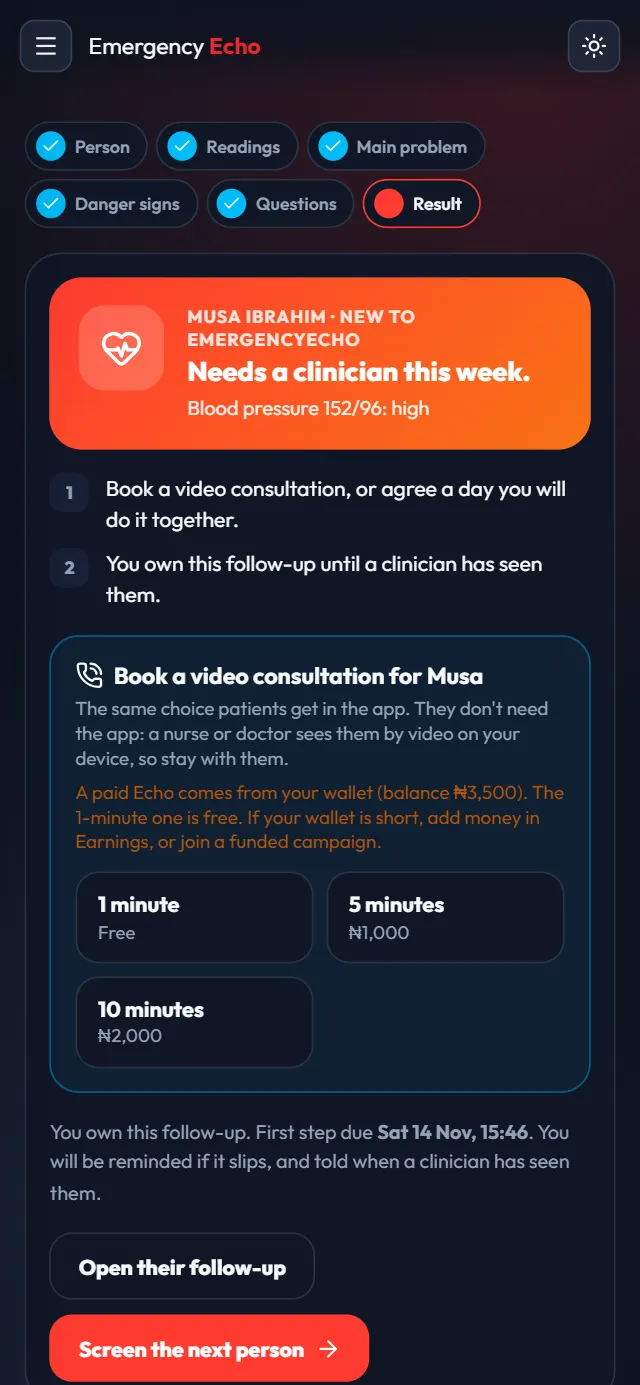
The result and the booking options Step 10: Follow them up and close with evidence
Everyone who needs care stays under My people until you close their case. Steps move on by themselves as nurses, doctors and hospitals record their work.
Use Log a call or visit each time you check on them. Once you have confirmed they got their care, tap Close with evidence, choose Care completed and write what you checked.
Closing as care completed within 7 days of a paid Echo earns you ₦100.
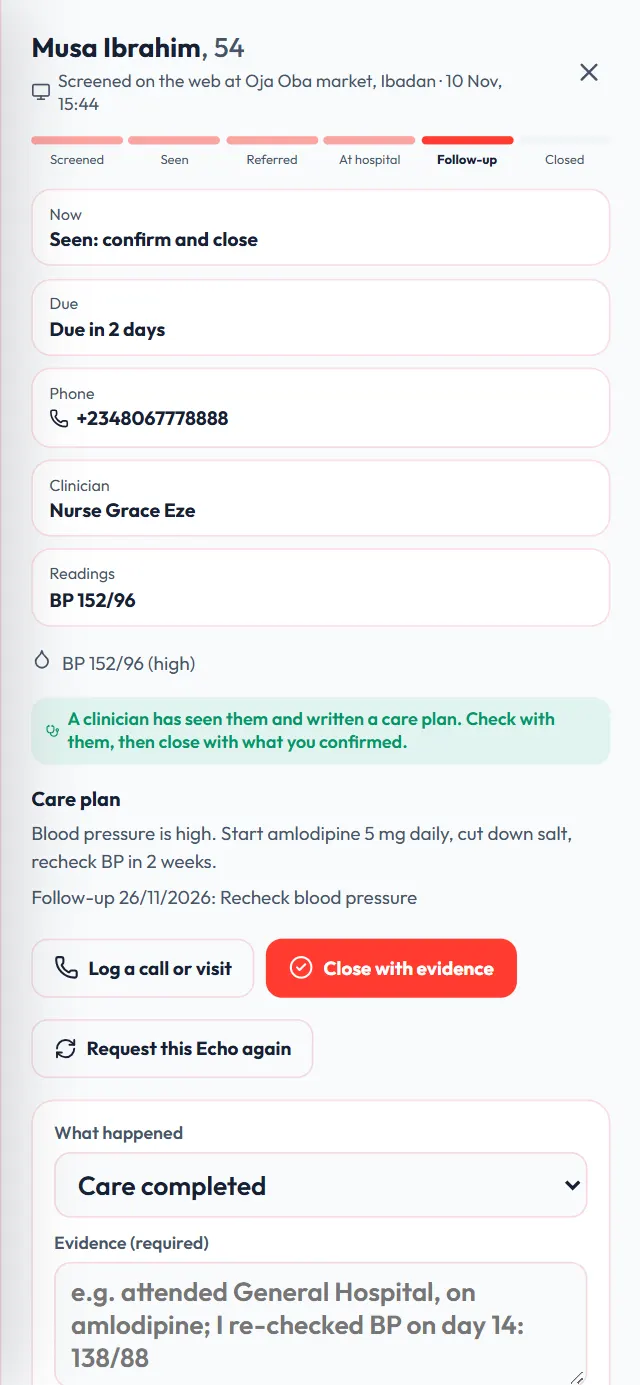
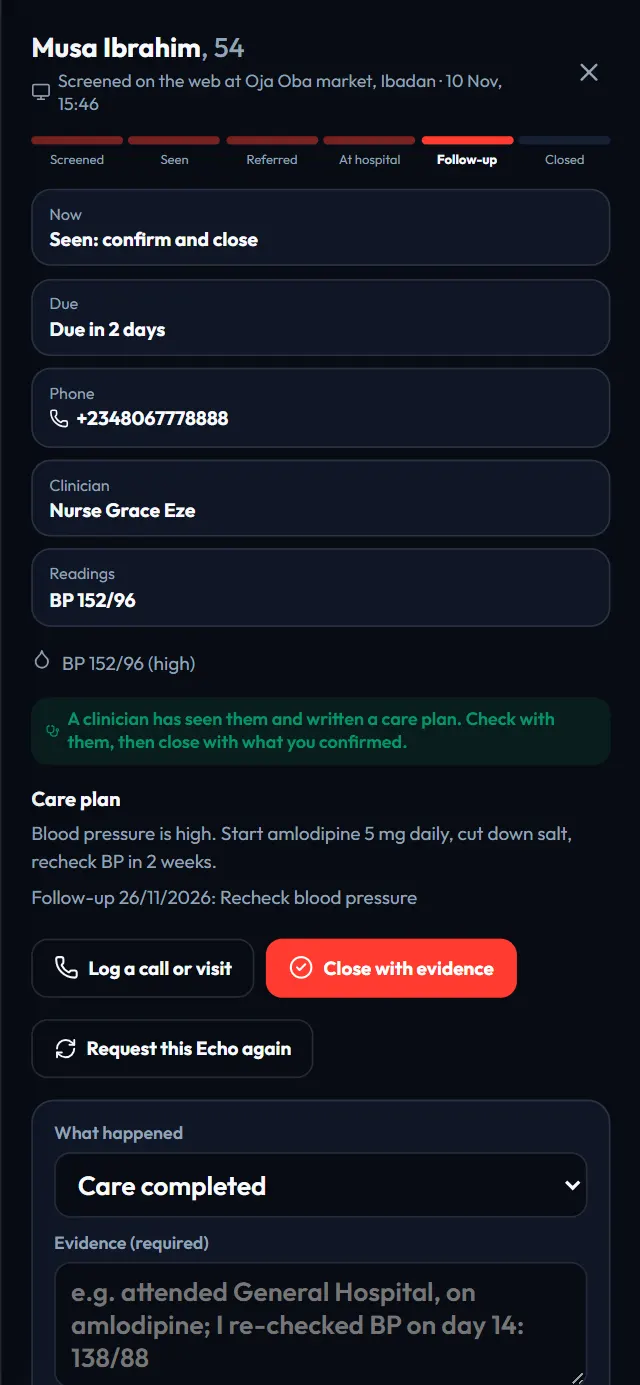
Closing a case with evidence Step 11: See your earnings and withdraw
Open Earnings. If you screen on your own, without a programme, EmergencyEcho pays you from its own share. The doctor or nurse is paid the same either way.
- 5-minute Echo (₦1,000): you earn ₦150
- 10-minute Echo (₦2,000): you earn ₦300
- Emergency (₦3,000): you earn ₦450
- Care confirmed within 7 days: ₦100 more, once per person
You earn once the doctor or nurse has seen the person and written up the call. Free 1-minute Echoes earn nothing. Tap + Link New to add your bank account, then Withdraw from ₦1,000.
In a programme or campaign, the programme pays for the Echoes and sets its own rewards instead.
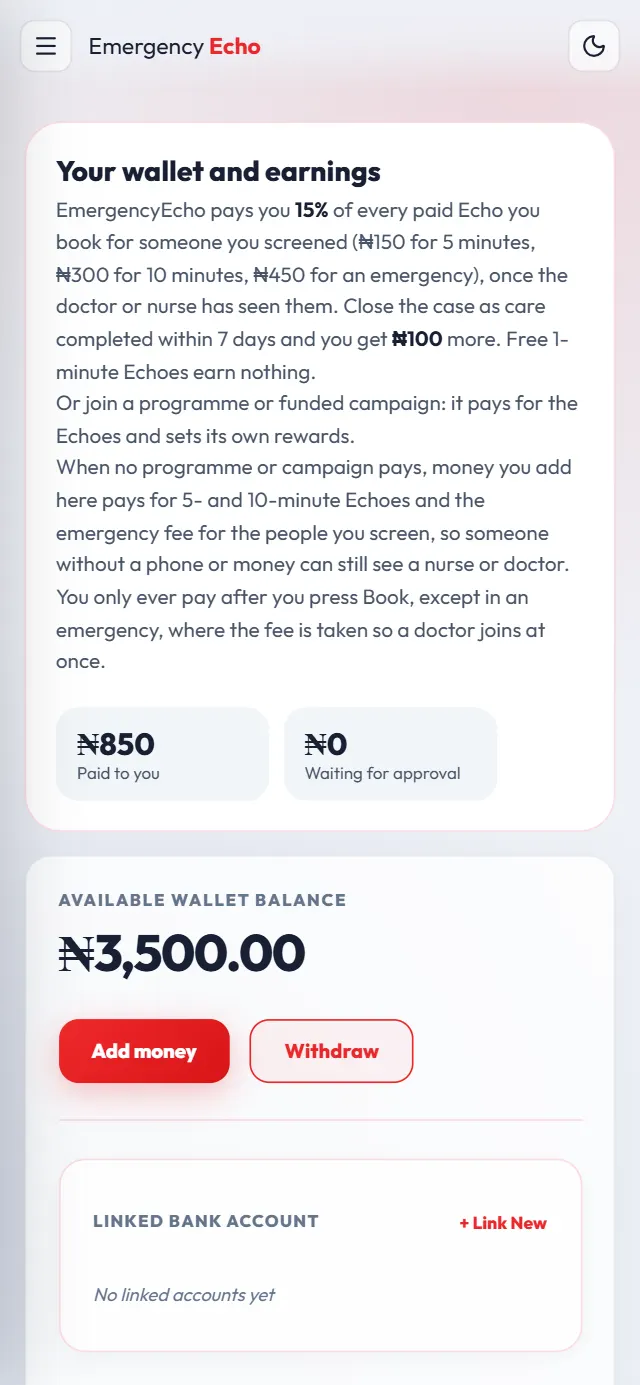
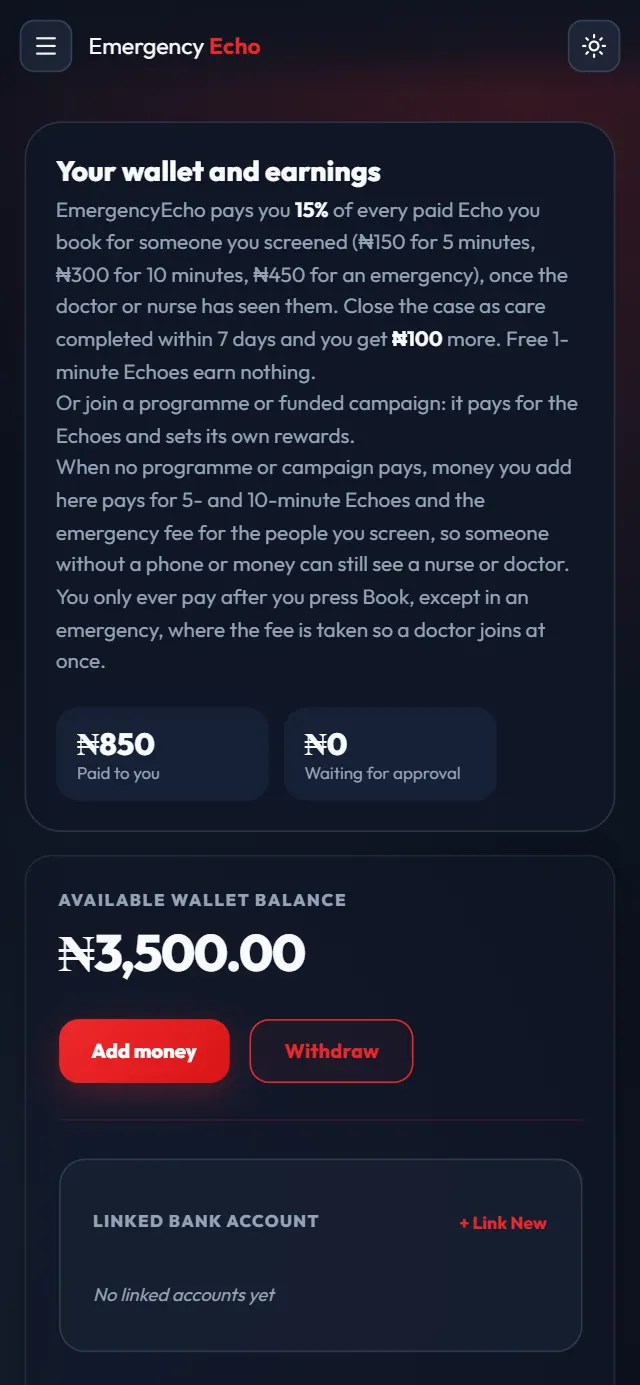
Your earnings and wallet
If something goes wrong
I am a doctor or nurse
Don't make a second account. Use your own: see the volunteer guide for doctors and nurses.
"That phone number belongs to a staff account"
Use the person's own phone number, not yours or a colleague's.
Booking says my wallet is short
Add the amount it names under Earnings, or apply to a funded campaign. The 1-minute Echo is always free.
I didn't earn from an Echo
You earn only on paid Echoes that a doctor or nurse completed and wrote up, at most 2 per person a week, and not when a programme paid.
Forgot my password and have no email
Email support@emergencyecho.org from any address with your username and phone number.
Screens show a sample nursing student, Blessing Adeyemi, screening a sample person, Musa Ibrahim. All details are made up. Still stuck? Email support@emergencyecho.org.
Ready to start?
It takes a few minutes. Keep this guide open in another tab while you sign up.